

Even after setting up a local LLM and an image generation environment on a Mac, simply operating them manually does not give you automation.
The goal this time is to register article and image generation jobs on the ConoHa VPS side, and have a MacBook Pro or Mac mini at home pick up and process that work.
However, we will not use a configuration where the VPS connects directly to the home Mac.
Instead, we adopt an approach where the home Mac queries the VPS.
Why Not Connect Directly from the VPS

For a VPS to access a home Mac directly, the home network would have to be reachable from the outside.
That approach comes with the following challenges.
- Opening ports on the home router
- Dealing with dynamic IP addresses
- Dealing with NAT environments
- Exposing the Mac-side APIs to the internet
- Authentication and access control
- Protection against unauthorized access
- Reconfiguration when changing the internet line or router
Using a VPN or tunneling service is another option, but this time we keep the home side unexposed to simplify the architecture.
If the home Mac only accesses the ConoHa VPS over HTTPS, the traffic flows in the same direction as ordinary web access.
The Job-Pulling Approach
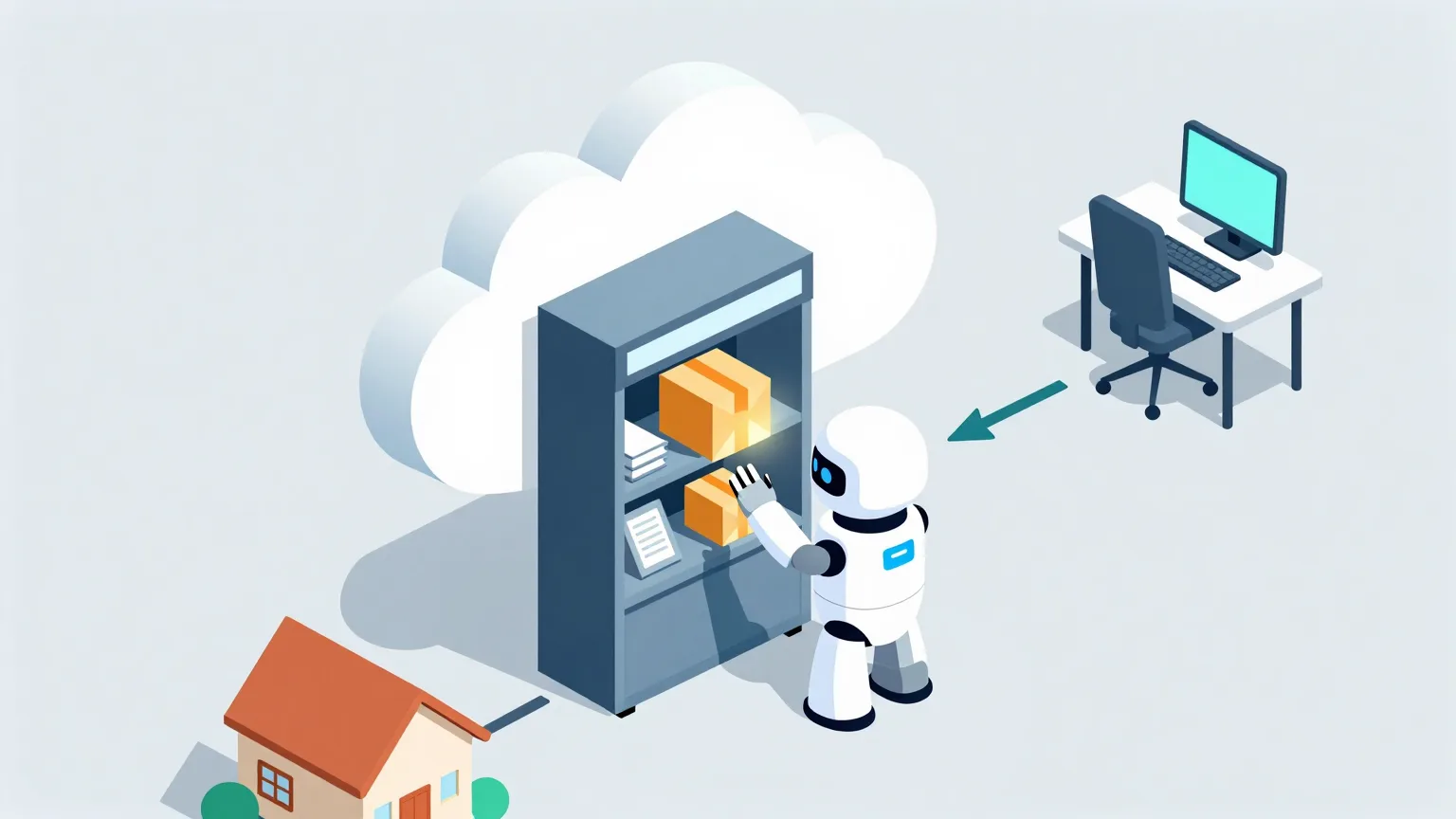
The processing flow looks like this.
- The admin UI or automated processes register generation jobs on the VPS
- The worker on the Mac asks the VPS whether any jobs are available
- If there is an unprocessed job, it fetches it
- It generates the output with the local LLM or ComfyUI
- It sends the result back to the VPS
- The VPS marks the job as completed
With this approach, the VPS never needs to know the home Mac's IP address or endpoint.
It works as long as the Mac can initiate communication on its own.
Regular Polling and Long Polling

For the Mac to check for jobs, there are two options: regular polling and long polling.
Regular Polling

Short requests are sent at fixed intervals.
For example, with a 30-second interval, the cycle looks like this.
- The Mac asks whether any jobs are available
- If there are no jobs, it receives an empty response
- It waits 30 seconds
- It asks again
That works out to 2,880 requests per day per machine, but if the response is just a small JSON payload, that volume is unlikely to become a heavy load on a personally used VPS.
Long Polling
What we adopt this time is long polling.
When the Mac accesses the job fetch API, the VPS holds the request for a certain period until a job is registered.
For example, with a maximum wait of 30 seconds, the behavior is as follows.
- The Mac connects to the job fetch API
- If a job already exists, it is returned immediately
- If there are no jobs, the VPS waits up to 30 seconds
- If a job is registered while waiting, it is returned instantly
- If no job arrives within 30 seconds, an empty response is returned
- The Mac immediately starts the next connection
This keeps the delay between job registration and the start of processing short.
Connection management is less complex than with WebSocket, and reconnecting after a dropped connection is easy — both advantages.
VPS-Side Components
In the initial setup, we prepare the following elements on the VPS side.
- FastAPI
- PostgreSQL
- Job registration API
- Job fetch API
- Heartbeat API
- Result submission API
- Administrative logs
Job data is stored in PostgreSQL.
At the initial stage, we manage everything in PostgreSQL without adding a dedicated message queue product.
With only two workers, a MacBook Pro and a Mac mini, at a personal scale, we believe this will be sufficient for now.
Information Stored in a Job
Each job carries at least the following information.
- Job ID
- Job type
- Input payload
- Status
- Priority
- Created at
- Started at
- Completed at
- Assigned worker
- Last heartbeat time
- Retry count
- Error details
- Location of the generated result
For job types, we use values such as the following.
- article_generate
- article_rewrite
- article_summary
- image_generate
- image_upscale
Because articles and images require different input formats, the input payload is validated per job type.
The Worker on the Mac
On the Mac, we run a Python worker as a resident process.
The worker's responsibilities are as follows.
- Long-poll the VPS
- Fetch jobs
- Check the job type
- Invoke Ollama or ComfyUI
- Send heartbeats during processing
- Submit results to the VPS
- Wait for the next job
There is no need to expose Ollama or ComfyUI to the outside.
The Python worker connects to the local APIs on the same Mac.
Authentication
When connecting from a Mac to the VPS, each worker uses its own credentials.
For example, we assign the following identifiers to the MacBook Pro and the Mac mini, respectively.
- worker-mbp
- worker-macmini
We also issue a separate API key for each.
API keys are never hard-coded in source; they are managed through environment variables or the macOS Keychain.
On the VPS side, we record the following.
- Which worker connected
- Which job it fetched
- How long the processing took
- Whether any errors occurred
- Whether there is any abnormally frequent access
Returning Generated Results
Article generation results can be returned to the VPS as JSON.
Images tend to have large file sizes, so we use one of the following methods.
- Upload directly to the result submission API
- Have the VPS issue a temporary upload URL
- Upload to object storage
- Register via the VPS to Payload's media API
In the initial setup, the Mac sends images to the VPS, and the VPS registers them with Payload.
This way, Payload credentials never need to live on the home Mac.
Summary
By not connecting directly from the VPS to the home Mac, and instead having the Mac pull jobs, generation can be automated without exposing the home network to the internet.
For communication, we use HTTPS long polling with a 30-second hold.
Next time, we will design handling for duplicate processing when the MacBook Pro and Mac mini connect at the same time, and recovery procedures for when a Mac stops mid-job.