The more time you spend delegating implementation to agents, the more your expectations of a development environment gradually shift. It's no longer just a place to write code; you need a place to oversee multiple agents, make judgment calls along the way, and receive the results.
Along the way, I used Ghostty. Its light, beautiful terminal feels wonderful as a tool you touch every day. I also tried Cmux; the sense of laying out multiple tasks side by side was appealing. And with Superset.sh, I got a taste of how enjoyable it is to split up agents' work and keep it moving.
They're all good. That's why, rather than feeling that 'something was missing,' I think each tool simply shined in slightly different places. The terminal, task splitting, and diff review lived on separate screens, and as agents multiplied, the little trips back and forth piled up. Orca is where I landed.
Orca is an agent development environment (ADE) that lets you run CLI agents like Codex or Claude Code independently, each in its own Git worktree, side by side. It gathers the terminal, files, browser, diffs, and even the GitHub flow into the context of the work you're doing right now.
You can start using Orca for free
One reason it's easy to adopt is that Orca itself is free and open source under the MIT license. You can bring the CLI agents you already use — Codex, Claude Code, OpenCode, and so on — so there's no need to buy a new 'seat for an orchestrator.'
That said, I want to treat the word 'free' precisely. What's free is Orca itself. Subscriptions and API usage fees for the agents you run inside Orca follow each service's terms. To start, just run the single agent you use every day inside Orca, and you can try it while keeping your costs predictable.
Git worktrees make parallel development safe
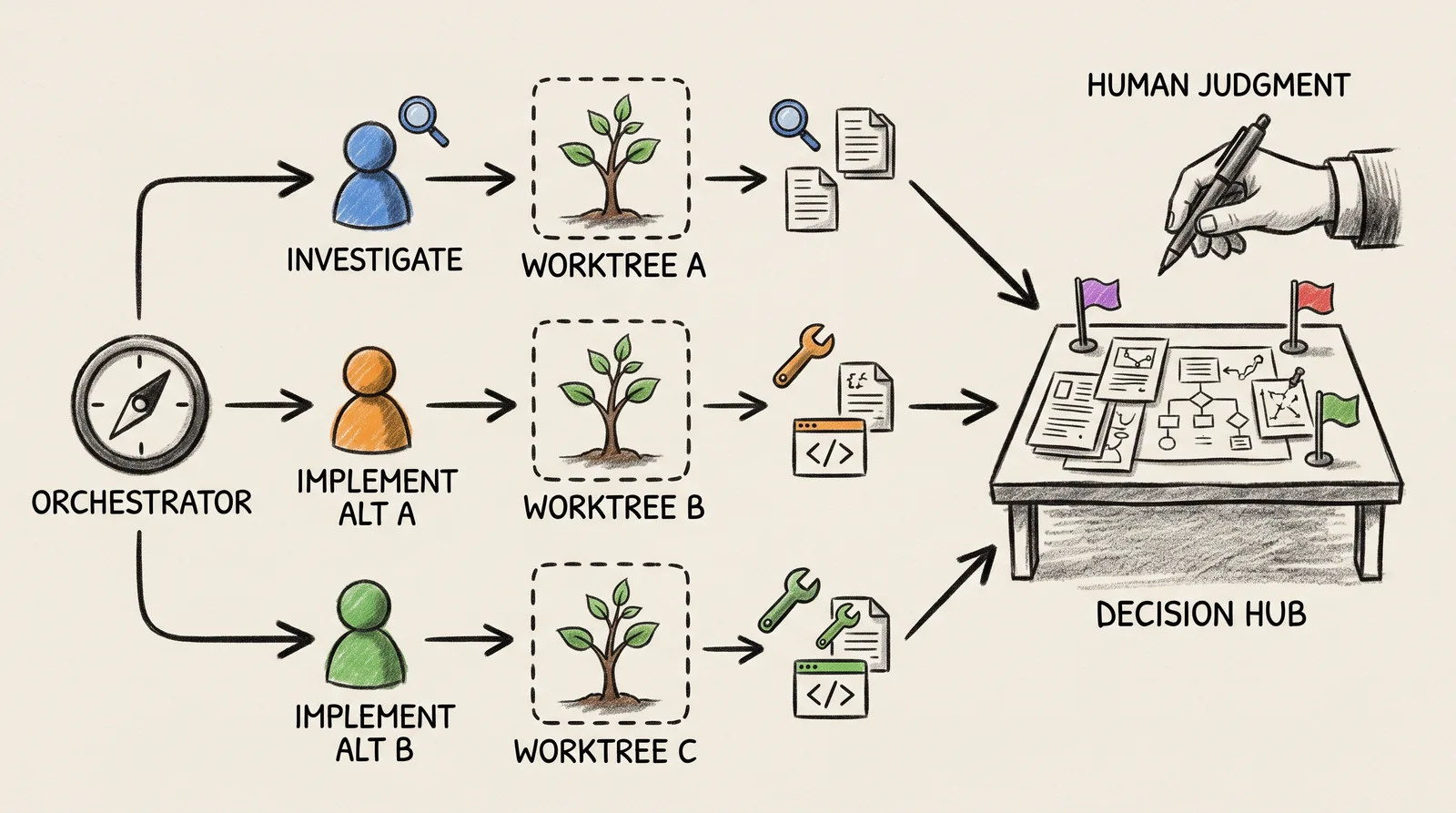
When you run multiple agents in the same working directory, changes get mixed together, and you end up worrying about branch switching and uncommitted diffs. Orca creates a Git worktree for each task, letting agents work in their own separate workspaces.
For example, if you're pushing a form bug fix and landing page copy tweaks forward at the same time, you create a worktree for each. Since neither task touches the other's changes, even a sudden switch never makes you think about git stash. You can also try experimental implementations without dirtying the rest of your work.
Worktrees aren't a silver bullet. You still need care when shared environment variables or external services are involved, and the final call on the spec remains a human job. Even so, just having the foundation of 'files don't get mixed' returns your decisions to what they should actually be about.
The star of Orca: orchestration
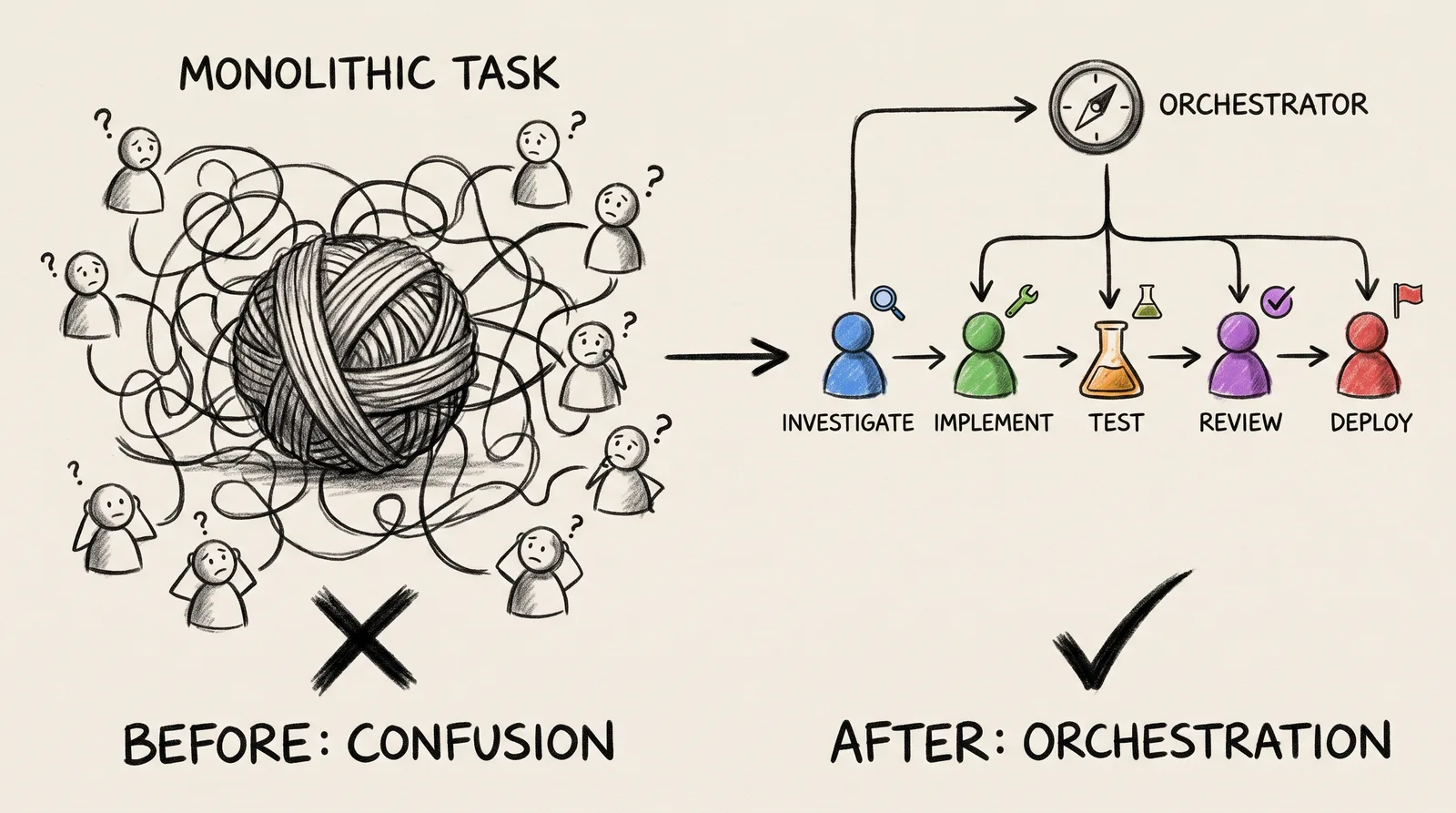
Orchestration is what I value most in Orca. The appeal isn't a number — how many agents you can run. The value lies in being able to take the 'this order will make progress' plan in your head and get it out as an actual flow of work.
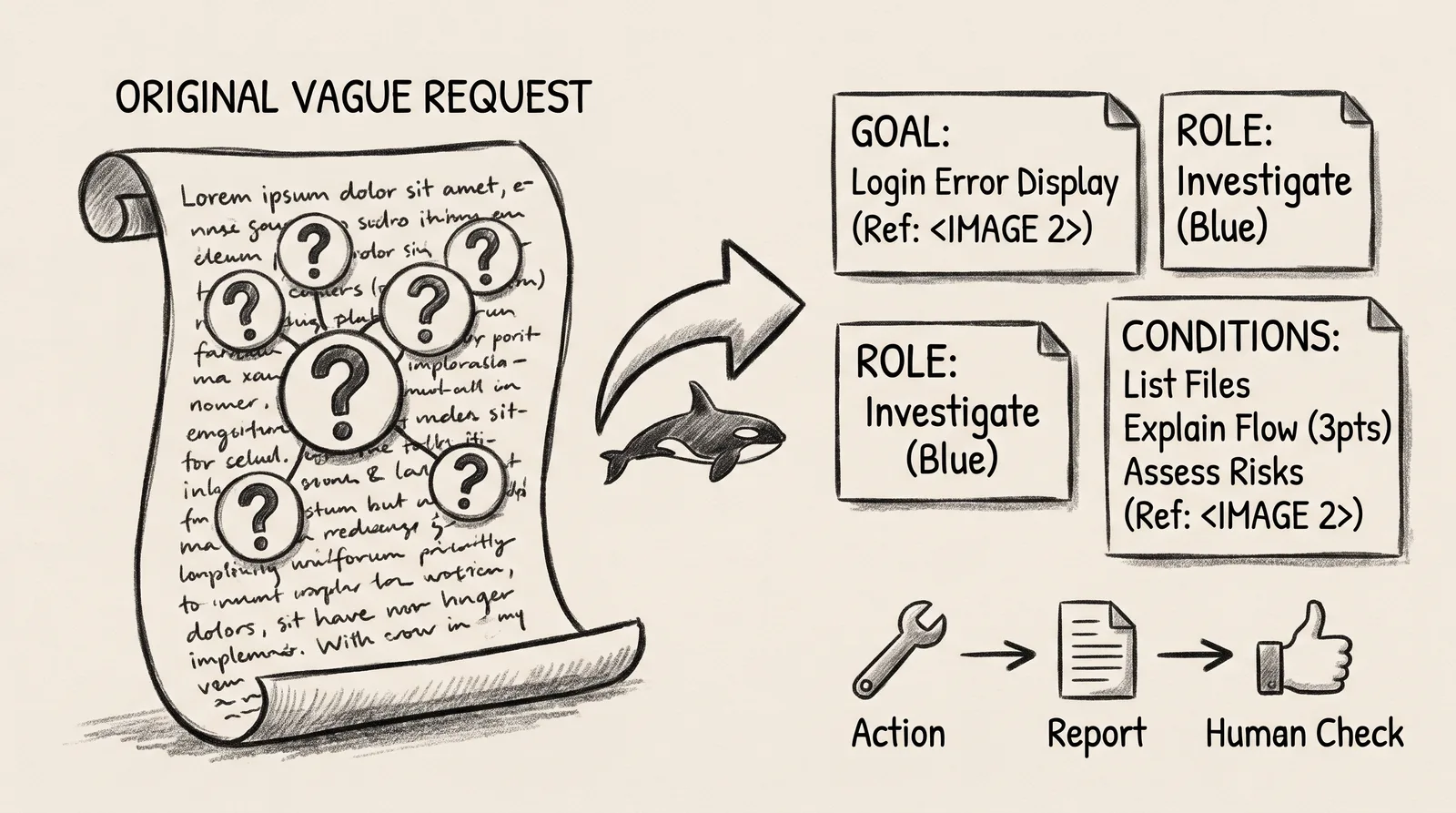
Handing one big request to a single agent is simple. But when research, implementation, verification, and review all end up in one long conversation, it becomes hard to tell what to trust along the way. Orchestration splits that blob into meaningful pieces of work.
- Have a researcher agent summarize the existing implementation, the spec, and the impact scope
- Have an implementer agent make changes in a worktree, taking the research results as the premise
- Entrust a verifier agent with tests and regression checks, from a perspective separate from the changes
- Finally, you read the diffs and the reports yourself and decide whether to adopt them
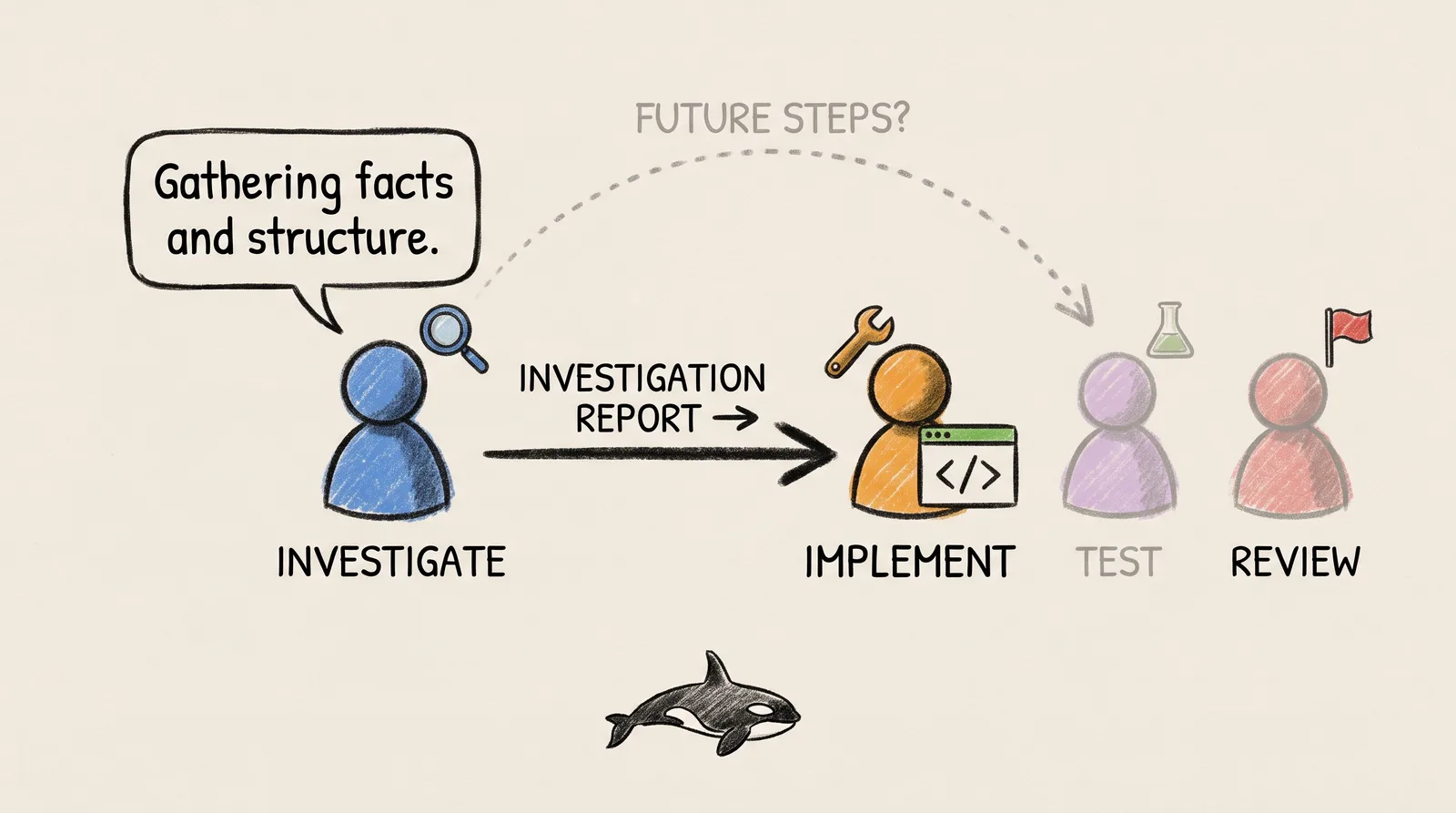
The trick is not to tell an agent to 'do everything.' Size each role so its completion condition fits in a single sentence. Requests like 'list the relevant files and report proposed changes and risks' or 'fix only the specified screen and run the relevant tests' make results easier to compare, and the information handed to the next role doesn't get diluted.
It also matters that you can send additional instructions mid-stream or narrow the scope. I think of orchestration not as fire-and-forget magic, but as a mechanism that sharpens what humans do best: setting goals, decomposing, prioritizing, and making the final call. I've collected detailed practical examples in Mastering Orchestration, the Star of Orca.
Everyday features that make a difference
Orca's strengths go beyond orchestration. The terminal, diff review, browser, search, and GitHub integration are all connected in the context of your worktrees and agents.
The terminal is WebGL-based with multiple panes, and scrollback search survives restarts. It's reliable enough for watching dev servers and logs alongside your agents. On diffs, you can leave line-level comments and send them straight back to the agent, which cuts out the back-and-forth of copying review remarks from another screen.
For frontend work, Design Mode is handy too. Click a UI element in the real browser for each worktree, and you can pass that element's HTML, CSS, and a screenshot clip into the agent's prompt. Pointing at the target is faster than describing it in words alone, like 'tighten this spacing a little.'
Being able to view GitHub and Linear information inside the app, to search not just files but also worktrees, agents, and executed commands, and a mobile companion that lets you check in on things and send instructions while away — all of these trim the small context switches of daily work.
Four easy steps to get started
- Install Orca and open one of your usual repositories
- Launch just one of the CLI agents you use every day
- Delegate a small fix in a worktree and review the diff inside Orca
- Then split the work into two roles — researcher and implementer — and try orchestration
There's no need to make a crowd of agents compete from day one. It's enough to get the feel of safely splitting one task, receiving the results, and handing over the next instruction. The comfortable terminal of Ghostty, the parallel work of Cmux, the potential of dividing labor among agents I felt in Superset.sh — Orca brought the feelings I loved in each of them together into a single development flow.
Since you can try it for free, start by giving it one small task. Whether it fits your desk will be far clearer from that single run than from browsing a feature list.